+48 22 33 22 333
 sales@hardwaredirect.de
Configure any server with us
Contact our experts to select a solution tailored specifically for you.
Server configuratorWelcome to Hardware Direct
My account


Datacenter services

Hardware trade-ins

Server lease
Hardware Direct offers servers, storage arrays, backup systems, workstations and networking equipment at the lowest prices on the market. Comprehensive implementation and technical support.
Contact

Sales Department:
Monday - Friday (08:00 - 18:00)
Warehouse:
Monday - Friday (08:00 - 16:00)
Technical Support
1x Dell Precision Dell Precision R7910 8x2.5" workstation platform2x Intel Xeon E5-2687W v3 10-core 3.1GHz 25MB 160W SR1Y6 pro...
This set contains: 1x Dell Precision T5820 4x3.5" workstation platform1x Intel Xeon W-2133 6-Core 3.6GHz 8.25MB 140W SR3LL pro...
This set contains: 1x Dell Precision Dell Precision R7920 8x3.5" workstation platform2x Intel Xeon Gold 5118 12-core 2.3GHz 16.5MB 105W SR3GF processor4x RAM 16GB 2400MHz...
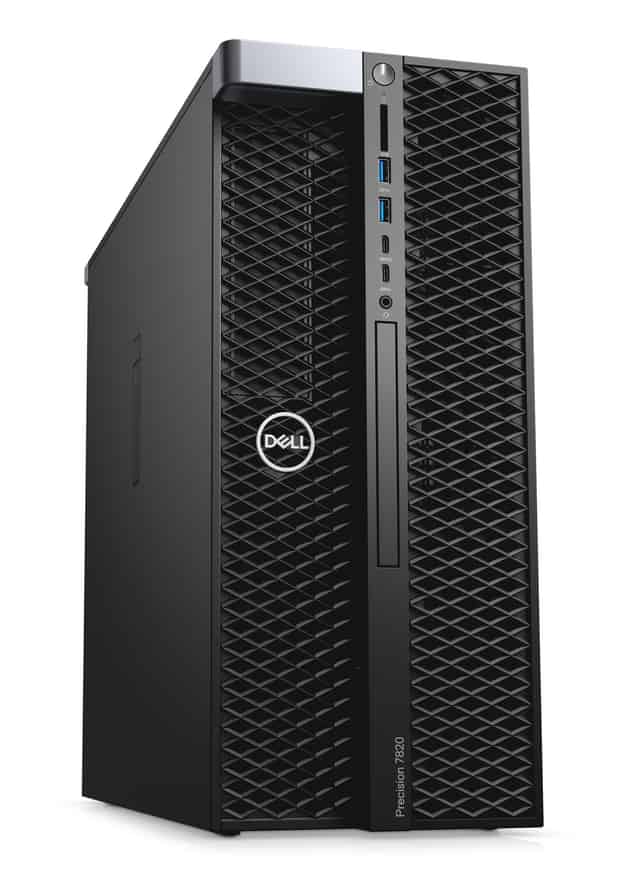
This set contains: 1x Dell Precision T7820 4x3.5" workstation platform2x Intel Xeon Gold 5120 14-core 2.2GHz 19.25MB 105W SR3GD processor4x RAM 32GB 2666MHz DDR4 RDIMM2x ...
This set contains: 1x Dell Precision T5820 4x3.5" workstation platform1x Intel Xeon W-2265 12-core 3.5GHz 19.25MB 165W SRGSQ p...
1
Ideally one that is stable, quiet and has enough headroom for large multitrack sessions. A powerful processor, sufficient RAM, a fast SSD and ports compatible with your audio interface all matter. Before buying, check the current system requirements and compatibility list on the Avid website, as they change with new versions of the software.
For simpler projects, 16 GB is usually enough. For complex sessions with many plug-ins and virtual instrument libraries, it is better to have 32 GB or more. The exact requirement depends on how you work, so before choosing a configuration, consider how large your projects are.
Both matter. A high clock speed helps with processing individual tracks and plug-ins, while more cores make it easier to handle many tracks and effects at the same time. In most studios, it makes sense to find a balance between the two, depending on how complex the sessions you mix are.
A fast SSD, preferably NVMe, works best for the operating system and the application. Keep your audio sessions and sound libraries on a separate, fast drive. This reduces the chance of glitches when playing back and recording many tracks. Also remember to back up your projects regularly.
Yes, as long as its specifications meet Avid's requirements and the needs of your projects. Ex-lease equipment can be a sensible alternative to new, especially if value for money matters to you. Check the exact specification, the condition of the device and the warranty terms in the description of the product you choose.