+48 22 33 22 333
 sales@hardwaredirect.de
Configure any server with us
Contact our experts to select a solution tailored specifically for you.
Server configurator
Welcome to Hardware Direct
My account


Datacenter services

Hardware trade-ins

Server lease
Hardware Direct offers servers, storage arrays, backup systems, workstations and networking equipment at the lowest prices on the market. Comprehensive implementation and technical support.
Contact

Sales Department:
Monday - Friday (08:00 - 18:00)
Warehouse:
Monday - Friday (08:00 - 16:00)
Technical Support
1x Dell Precision Dell Precision R7910 8x2.5" workstation platform2x Intel Xeon E5-2667 v4 8-core 3.2GHz 25MB 135W SR2P5 proce...
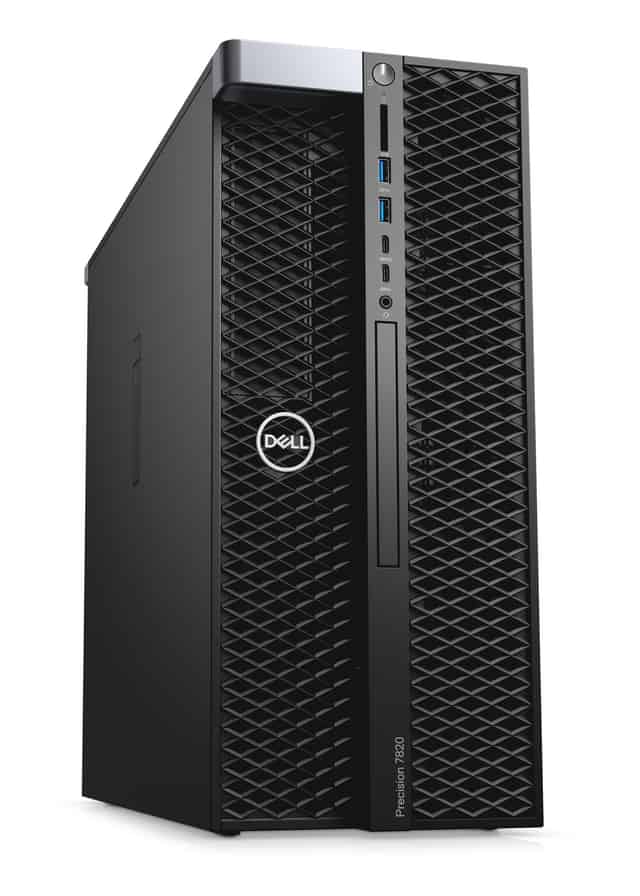
This set contains: 1x Dell Precision T7820 4x3.5" workstation platform2x Intel Xeon Gold 6130 16-core 2.1GHz 22MB 125W SR3B9 processor4x RAM 32GB 2666MHz DDR4 RDIMM1x 480...
This set contains: 1x Dell Precision T7820 4x3.5" workstation platform2x Intel Xeon Gold 6154 18-core 3GHz 24.75MB 200W SR3J5 processor2x RAM 32GB 2666MHz DDR4 RDIMM1x Ha...
1
It depends on how you use the platform. If you work mainly in a browser, a stable, fast computer with enough RAM and an SSD is usually enough. If you also analyze large datasets or run statistical tools, you will need a more powerful processor and more RAM. The most reliable way to check is to look at the hardware requirements for the software version you use.
Not always. MEDIDATA solutions usually run in the cloud, so part of the processing is handled on the provider's side rather than on your own device. A more powerful workstation makes sense if you process large datasets locally, run many applications at once, or use MEDIDATA together with analytics and reporting tools.
The most important are a multi-core processor, enough RAM, and a fast SSD, which shortens the time it takes to open and save large files. The graphics card matters mainly for visualizations or for computations that use it. It is also wise to leave some performance headroom for future, more demanding projects.
Workstations are designed for long, intensive use. They typically have more powerful processors, higher memory capacity, and better upgrade options. They are also often available with ECC memory, which reduces the risk of data errors. If you work with business-critical data, this kind of stability is genuinely useful.
Choose hardware with a TPM module, use disk encryption, and back up your data regularly. System updates and account access controls are also essential. Specific data protection requirements depend on your organization's policies and applicable regulations, so it is worth discussing them with your IT department or the person responsible for compliance.