/ EUR
/ EUR
Image and video AI models can overwhelm a server much faster than classic text-based LLMs. Here the problem isn't just the model itself, but also thousands of frames, augmentations, preprocessing and gigantic data transfer between GPU, RAM and storage. That's why a well-configured AI server for image processing must be simply very well balanced – just "powerful GPU" quickly stops being enough.
A video AI server must be prepared for very heavy data transfer
A video AI server works completely differently from classic text model environments. In computer vision, the problem becomes not just the model itself, but primarily the gigantic amount of data that must be constantly processed, buffered and transmitted between server components. Every video frame is essentially a separate image. If the environment analyzes multiple streams simultaneously or works on large datasets, the load grows rapidly.
And that's exactly why workloads like:
- object detection,
- semantic segmentation,
- video analysis,
- deep learning image,
- video-to-video AI.
can reveal infrastructure weaknesses much faster than classic text inference.
In such projects, GPU is very often not the only bottleneck. Problems appear much earlier:
- storage can't keep up with data reading,
- RAM runs out during augmentation,
- CPU throttles preprocessing,
- ETL pipeline starts blocking GPU utilization.
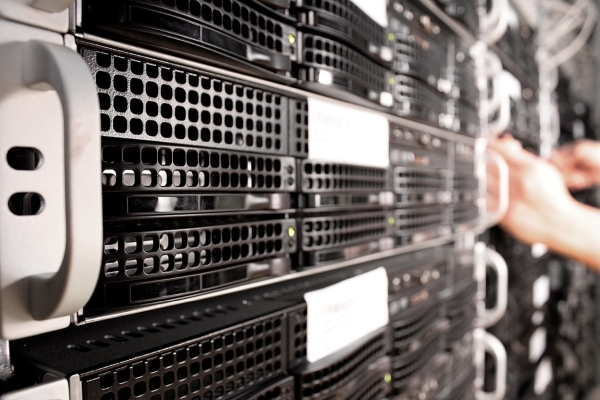
And that's exactly why a professional AI server for images increasingly resembles an HPC environment rather than a regular rack server with a graphics card. Here everything must be balanced:
- data throughput,
- VRAM,
- amount of RAM,
- speed of NVMe,
- network communication.
Without this, even very powerful GPUs start simply waiting for data instead of training models.
GPU for CV still is key, but VRAM alone doesn't solve infrastructure problems
GPU for CV remains the most important element of the entire AI platform. Most deep learning environments today are highly optimized for CUDA and NVIDIA acceleration, so professional computer vision server configurations are dominated by:
- A100,
- H100,
- A40 48 GB,
- L40S,
- or more economical L4.
And truly – with segmentation, generative AI or video analysis, the amount of VRAM makes an enormous difference. Environments working on large batches or video-to-video models very quickly can utilize:
- 96 GB,
- 144 GB,
- even 192 GB total VRAM in a single GPU node.
But this is exactly where many people make a classic mistake. A very powerful GPU set is purchased, and the rest of the platform is treated secondarily. Meanwhile, with image AI, great importance also lies with:
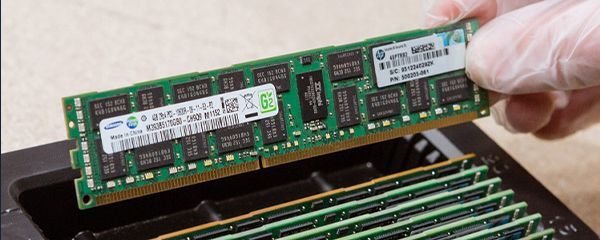
- amount of ECC RAM,
- storage speed,
- CPU performance for preprocessing,
- throughput between storage and GPU.
If the dataset has:
- hundreds of gigabytes of images,
- huge augmentations,
- preprocessing cache,
- multiple parallel workloads,
then a server with:
- 256-512 GB RAM,
- fast NVMe RAID,
- efficient Xeon or EPYC CPU
very often performs noticeably better than a poorly balanced platform with more GPUs.
And that's exactly why good AI server configuration must be designed as a complete computing environment, not "GPU plus other components".
A well-configured video AI server increasingly resembles an HPC node
With more elaborate video AI environments, a classic GPU server quickly evolves toward a full-fledged HPC node. Especially when the environment needs to:
- analyze thousands of frames per second,
- work on 100+ GB datasets,
- maintain multiple workloads in parallel,
- run practically without interruption.
And that's exactly why increasingly you encounter configurations based on:
- 2× Xeon Platinum 8368,
- 512 GB ECC DDR4/DDR5,
- 4× NVIDIA A40 48 GB,
- fast NVMe cache for preprocessing and datasets,
- additional SATA storage for backup and raw video.
This is no longer an "experimental server". This is a full-fledged AI infrastructure prepared for:
- long trainings,
- high GPU utilization,
- very intensive data transfer,
- stable 24/7 operation.
Network also starts becoming enormously important here. With computer vision workloads, regular 1 GbE quickly stops being enough. Datasets are too large, and inter-node communication starts generating real latency. That's why AI environments increasingly use:
- 25 GbE,
- 100 GbE,
- or Infiniband with larger GPU clusters.
And that's exactly why a modern video AI server increasingly resembles a specialized HPC platform rather than a classic rack server with a single GPU.
How to select server configuration for AI computer vision and video analysis?
The biggest mistake when building computer vision environments is focusing solely on GPU. Image and video AI models are very sensitive to infrastructure bottlenecks, so poorly selected configuration can kill performance even of very expensive accelerators.
If the environment is to handle:
- image classification,
- segmentation,
- object detection,
- video stream analysis,
- generative AI for images,
then great importance starts to lie in balance between:
- GPU,
- RAM,
- storage,
- CPU,
- and network.
That's why a well-configured AI server for image processing very often looks roughly like this today:
- 2× Xeon Gold or EPYC,
- 256-512 GB ECC RAM,
- 2-4 enterprise-class GPUs,
- fast NVMe cache for datasets and preprocessing,
- separate storage for raw video and backup.
And this setup allows maintaining:
- high GPU utilization,
- stable data throughput,
- reasonable training time,
- smooth inference even with very large datasets.
For more elaborate workloads, configurations based on:
- 4× NVIDIA A40 48 GB,
- L40S,
- or mixed inference/training environments
work very well. Meanwhile, for more economical AI deployments, often:
- 2× A40,
instead of: - a huge node with very expensive hyperscale GPUs
turns out much more sensible. Because in computer vision, stable data pipeline often matters more than maximum benchmark of a single GPU.
2× A40 or 4× L4? Sometimes more smaller GPUs pay off better than a few huge accelerators
With image AI, the largest possible GPU card doesn't always win. Very often much more important is how workload distributes between inference, preprocessing and model training.
And that's exactly why configurations like:
- 2× A40 48 GB,
- 4× L4,
- or mixed GPU environments
can behave completely differently despite similar budget.
A40 works very well where:
- large VRAM matters,
- segmentation models are heavy,
- workload is more "enterprise",
- inference and training run in parallel.
Meanwhile, L4 can be incredibly energy efficient for:
- video AI,
- inference,
- image analysis,
- edge AI environments,
- large number of parallel inference sessions.
And that's exactly why there's no single "best configuration". It depends heavily on:
- model sizes,
- workload type,
- number of parallel users,
- nature of video data.
The situation with memory and storage is similar. For some environments 256 GB RAM will be completely sufficient. But if:
- datasets sit in cache constantly,
- the environment handles multiple pipelines simultaneously,
- preprocessing is very aggressive,
then 512 GB ECC RAM, fast NVMe cache and properly designed RAID start looking much better.
And this is where RAID for AI looks completely different from classic corporate storage. With video workloads:
- RAID 10 very often wins on performance,
while:
- RAID 5 better utilizes storage space.
That's why AI server configuration for computer vision should always result from data characteristics and workflow, not just catalog specs.
A modern video AI server must today be a well-balanced computing platform, not just a "server with GPU". With computer vision workloads, enormous importance lies with:
- data throughput,
- VRAM,
- fast NVMe,
- ECC RAM,
- and efficient networking.
And that's exactly why AI environments for images and video increasingly resemble specialized HPC nodes rather than classic rack servers. Well-selected infrastructure can shorten model training, increase GPU utilization and significantly improve stability of the entire AI pipeline.
FAQ
How many GPUs should an image AI server have?
Usually 2-4 enterprise-class GPUs.
Does A40 still make sense for computer vision?
Yes – especially for segmentation, inference and larger AI models.
How much RAM does a video AI server need?
Usually 256-512 GB ECC RAM.
Is NVMe important for computer vision?
Very. Storage often becomes the bottleneck with large video datasets.
RAID 5 or RAID 10 for AI?
RAID 10 usually gives better performance with very intensive data transfer.
Is 1 GbE enough for image AI?
With larger datasets usually not. Standard becomes 25 GbE or 100 GbE.
Most common problem with video AI servers?
Poorly balanced architecture – powerful GPU and too slow storage or RAM.