/ EUR
/ EUR
Three mistakes cost the most: no tested backup, remote access exposed to the internet without MFA, and licensing left out of the budget. Backups made it possible to restore data in only 54% of ransomware incidents, and misconfiguration accounts for 40% of the vulnerabilities found in audits. Below you will find all nine mistakes with specific figures and a ready-made checklist to tick off before you switch the server on.
What to settle before buying a server – four things
Four things that are settled before the hardware is chosen:
- RTO – the time within which a service has to be back after a failure,
- RPO – the maximum acceptable data loss, measured in time,
- licensing cost – the number of cores translates directly into the number of licence packs,
- refresh budget – the hardware replacement date, planned already at the first purchase.
RTO and RPO determine the entire configuration. Without these two numbers there is no rational way to decide on the RAID level, power redundancy or backup frequency. They are settled before the purchase, not after the failure.
Licensing is the most common cost surprise of a first deployment. Windows Server 2025 requires all physical cores to be licensed, with a minimum of 8 licences per processor and a minimum of 16 licences per server – including a single-processor one. An 8-core server still costs 16 licences. The Standard edition covers two environments (OSEs); every further two require all of the machine's cores to be licensed again.
Watch out for the Essentials edition threshold: it covers up to 10 cores and one virtual machine on a single-processor server, for companies with up to 25 users and 50 devices. A company growing from 20 to 30 people hits a licensing wall and has to change edition.
The fourth thing is the refresh budget. Between 53% and 64% of companies keep server hardware for 3.5–6 years, and 78% of servers older than 4 years running under increased load lose reliability (ITIC survey, 2024, hosted by a hardware manufacturer). Refreshing every three years reduced downtime at 95% of organisations. The replacement is planned at the first purchase, not when the server starts falling apart. How to choose the hardware class we break down in the guide “Which server should you choose?”, and the choice between new and refurbished – in the article new server or recertified.
Do you really need your own server?
Your own server is not the only route. In 2025, cloud services were purchased by 55.3% of enterprises in Poland (Statistics Poland). Across the EU, 52.74% of companies use paid cloud services, but only 28.2% buy computing power to run their own software – which means that for most companies the question of having their own machine remains open.
The selection criteria come down to three questions.
- Control over data. If the data has to stay with you, you choose your own server.
- The nature of the workload. Stable and predictable argues for your own machine, variable and seasonal for the cloud.
- Technical resources. Having nobody to maintain the server shifts the decision towards managed services.
A hybrid model usually works best – critical systems locally, selected services in the cloud. More on that calculation in the article on the advantages of on-premise hardware over cloud solutions. A separate question, how many machines to buy, we settle in the analysis on choosing the number of servers – there you will find the cluster thresholds and the licensing arithmetic.
Server configuration mistakes – this is where 40% of vulnerabilities come from
A first server fails on its settings, not on its components. In audits carried out by CERT Polska, the largest category of vulnerabilities found was misconfiguration of system security – 40% of all findings. (The data come from audits of web applications, not servers as such, but the category of error is the same.)
Configuration before components – the structure of vulnerabilities. Data: CERT Polska, Annual Report 2024 (OWASP Top Ten 2021 classification).
The most vivid example is remote access exposed to the internet. CERT Polska scanned 7,806 VNC servers in Polish address space, testing five popular passwords – and found 299 instances with inadequate protection, including control panels for water treatment plants, industrial furnaces and small hydroelectric plants. Passwords in VNC are limited to 8 characters, and the service does not limit the number of failed login attempts.
The second mistake in the same category: a database accessible from the public internet. CERT Polska pointed to this as bad practice among administrators of Polish medical facilities – in the same study, software was found with a hard-coded database password, identical across all installations (CVE-2024-1228, CVE-2024-3699, CVE-2024-3700).
The third is the lack of multi-factor authentication for remote access – the main identified vector of ransomware attacks in Poland in 2024. MFA alone, however, is not enough: prompt bombing, that is flooding the user with MFA requests, appeared in 14% of social engineering incidents (Verizon DBIR 2025, commercial report). Configure resistant methods, for example number matching.
Finally, an organising principle from NIST SP 800-123 (published in 2008, the general principles still apply): the precondition for any security work is having a security policy and planning the installation before it begins. All unnecessary compilers and unused services are removed from a production system.
Your first company server: the backup. Is RAID a backup?
RAID is not a backup. RAID protects against drive failure and maintains continuity of work. A backup protects against loss, encryption and human error. Redundancy is the ability to keep working after a component fails; a backup is the ability to restore the state from before the event. One does not replace the other – we write about this in more detail in the article “RAID – data protection or an unnecessary expense?”.
A backup on its own is not enough if nobody tests it. The use of backups to restore encrypted data fell to 54% of incidents – the lowest level in six years, while 49% of victims paid the ransom (Sophos 2025 study on a sample of 3,400 organisations, commercial source). Worse still, among the companies that paid more than the initial demand, 38% cited the failure of their own backups as the reason. An untested backup translates directly into a higher ransom.
On top of that comes a mechanism few people talk about. Ransomware operators usually try to destroy backups before they start encrypting. CERT Polska noted that attackers had access to the infrastructure many months before the encryption – with short log retention there is no way to establish which copy is clean. Log retention is part of the backup strategy, not a separate topic.
The guidelines from CISA, FBI, NSA and MS-ISAC recommend three things at once:
- offline and encrypted copies, out of reach of the compromised system,
- regular testing of the availability and integrity of the copies in a restore scenario,
- up-to-date “golden images” of critical systems – templates with a pre-configured operating system and applications, allowing a server to be rebuilt quickly from scratch.
The scale of the cost when there is no working backup: the average cost of remediating an attack without a ransom came to USD 638,536 at companies employing 100–250 people (Sophos 2025, global data, to be treated as an order of magnitude). 53% of organisations regained full operation within a week, and 18% needed more than a month. How to plan the backup layer we describe in the section on enterprise backup servers.
What temperature in the server room? Environmental conditions
The recommended temperature range at the air inlet to IT equipment is 18–27°C. For class A1, which covers enterprise servers and storage arrays, the allowable range is 15–32°C with a maximum dew point of 17°C. The key nuance: temperature is measured at the equipment's air inlets, not as an average across the room – that distinction determines whether the measurement means anything at all.
|
Parameter |
IT equipment (class A1) |
Tape media |
|
Recommended temperature |
18–27°C at the inlet |
15–32°C |
|
Allowable temperature |
15–32°C |
15–32°C |
|
Maximum dew point |
17°C |
22°C |
|
Relative humidity |
per equipment class |
20–80% |
|
Rate of temperature change |
controlled |
below 5°C per hour |
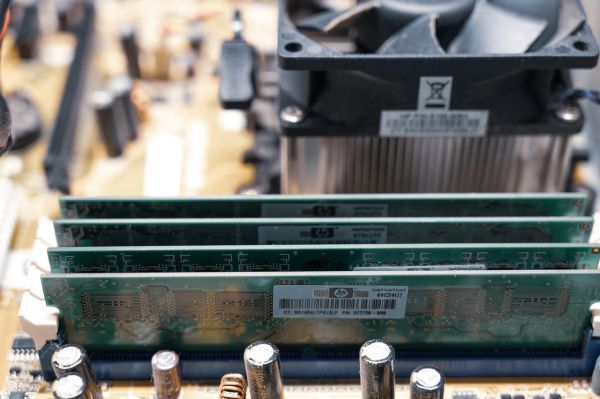
Two hardware mistakes deserve separate attention. The first is cutting costs on ECC memory – over the course of a year, roughly 9.62% of servers experience correctable memory errors (Facebook / CMU, 2015; data from hyperscale infrastructure, to be treated as evidence of how widespread the phenomenon is). The second is planning redundancy on the basis of the datasheet: for some models the actual SSD failure rate is as much as 70% higher than declared (Microsoft Research, 2016).
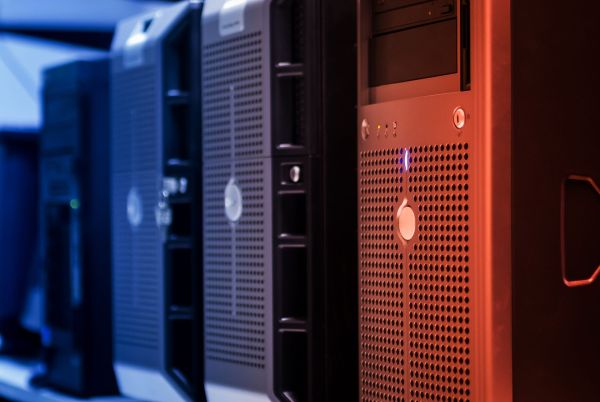
The third mistake is choosing the cheapest hardware without support. White box servers record 60 minutes of unplanned downtime a year against 20 minutes for Dell PowerEdge, and 42% of them exceed 4 hours of downtime a year against 8% for PowerEdge (ITIC survey, 2024, hosted by a manufacturer). You will find hardware with warranty and support in the Tower servers and Rack categories.
Running your first company server after go-live – updates and the maintenance window
Exploitation of vulnerabilities as an entry vector accounts for 20% of breaches, up 34% year on year. The share of edge devices and VPNs grew almost eightfold, from 3% to 22%. Only around 54% of those vulnerabilities were patched within a year, with a median remediation time of 32 days (Verizon DBIR 2025, commercial report). “We'll patch it when we get a moment” is a realistic takeover scenario.
The Polish scale of neglect is documented. In March 2024 there were 2,462 vulnerable FortiOS instances running on the Polish network. In 2024 CERT Polska sent 11,913 notifications concerning 119 different vulnerabilities – and the most effective way of getting an organisation to react turned out to be a phone call, because emails to general addresses often did not reach the people responsible.
An update policy comes down to three elements:
- Schedule. A fixed date for installing patches, not “when we get a moment”.
- Process owner. A named person who receives vulnerability notifications.
- Prioritisation. Edge devices and VPNs patched first – their share in attacks grew from 3% to 22%.
Plan the maintenance window as well. 72% of organisations set aside between 2 and 8 hours a month for planned downtime – patching, testing, updates. With a single server those hours mean downtime for the whole company, so schedule them outside working hours and tell the team in advance.
Finally, the organisational layer that is easy to skip. Ransomware victims pointed on average to 2.7 factors that led to the attack: an unknown security gap (40%), a lack of people and resources (39%) and a lack of skills (39%) (Sophos 2025, enterprise sample, commercial source). Two of the three main factors are an organisational problem, not a hardware one – with your first server, establish straight away who maintains it.
Checklist before switching the server on
Go through these eight points before the server goes into production.
- Set your RTO and RPO. Write down how many hours of downtime and how much lost data the company accepts.
- Count the licences. Check the number of cores and the required number of licence packs before ordering the hardware.
- Remove unnecessary services. Disable unused services and compilers on the production system.
- Close off internet access. Remote desktop and the database have no public addresses; access exclusively over VPN.
- Enable resistant MFA. Configure number matching so that prompt bombing does not work.
- Set up an offline backup. Encrypted, out of reach of the server, with a defined log retention period.
- Test the restore. Restore data from the backup in a clean environment and measure how long it took.
- Assign a maintenance window and an owner. Name the person responsible for updates and for responding to vulnerability notifications.
Does NIS2 require backups to be tested?
For the entities covered by the regulation – yes. Implementing Regulation (EU) 2024/2690 to the NIS2 directive requires a business continuity and disaster recovery plan, backups, and an appropriate level of redundancy of resources to be maintained. These plans are subject to periodic testing – so testing restores stops being good practice and becomes an obligation. It is worth confirming the scope of entities covered for your industry; not every company falls under the regulation. We write about this in more detail in the article on cybersecurity under the NIS2 directive.
Where to start?
Start with two numbers and one test: set your RTO and RPO, count the licences, and then restore data from a backup before the server goes into production. Those three steps eliminate most of the mistakes described above, because they force you to plan what is usually put off “for later”. The rest – hardening, MFA, the maintenance window – falls into place around them.
Tell us how many users you have, what is supposed to run on the server and what downtime is acceptable, and we will put together a configuration to match those requirements – with RAID, controller and power redundancy matched to the RTO you have set. You get the hardware tested, with iDRAC/iLO ready configured and covered by warranty. You will find the full offer in the servers category, and additional material in our Knowledge Base.
FAQ
Does RAID replace a backup?
No. RAID protects against drive failure and maintains continuity of work, but it will not undo encryption by ransomware, a deleted file or human error. A backup and RAID are two separate layers of protection.
How often do backup restores have to be tested?
Regularly, in a full disaster recovery scenario – this is recommended by the joint guidelines from CISA, FBI, NSA and MS-ISAC. The reason is practical: backups made it possible to restore data in only 54% of ransomware incidents, and 38% of the companies paying a higher ransom cited the failure of their own backup.
What temperature should there be in a server room?
The recommended range at the equipment's air inlet is 18–27°C, and the allowable range for class A1 is 15–32°C with a dew point of up to 17°C. Temperature is measured at the equipment's inlets, not as an average across the room.
Can a first server be exposed to the internet?
Neither remote desktop nor the database should be made publicly available. CERT Polska scanned 7,806 VNC servers in Polish address space and found 299 instances with inadequate protection, including control panels for industrial infrastructure. Run remote access over VPN with MFA.
How many Windows Server licences does an 8-core server need?
A minimum of 16 core licences. Windows Server 2025 requires all physical cores to be licensed, with a minimum of 8 licences per processor and a minimum of 16 per server – including a single-processor one.
What should be settled before buying a first server?
Four things: RTO (the time for a service to return), RPO (acceptable data loss), the licensing cost and the hardware refresh budget. Without RTO and RPO there is no rational way to choose the RAID level or power redundancy.
What is a golden image?
It is a system template with a pre-configured operating system and applications, allowing a server to be rebuilt quickly from scratch. Keeping golden images of critical systems up to date is recommended by the guidelines from CISA, FBI, NSA and MS-ISAC.
Bibliography
- CERT Polska (NASK-PIB) – Annual Report 2024. The security landscape of the Polish internet – https://cert.pl/uploads/docs/Raport_CP_2024.pdf
- NIST Special Publication 800-123 – Guide to General Server Security (2008) – https://nvlpubs.nist.gov/nistpubs/legacy/sp/nistspecialpublication800-123.pdf
- CISA, FBI, NSA, MS-ISAC – #StopRansomware Guide (2023) – https://media.defense.gov/2023/May/23/2003227891/-1/-1/1/CSI-StopRansomware-Guide.PDF
- Verizon – 2025 Data Breach Investigations Report – https://www.verizon.com/business/resources/reports/2025-dbir-data-breach-investigations-report.pdf
- Verizon – 2025 DBIR: Small- and Medium-Sized Business Snapshot – https://www.verizon.com/business/resources/infographics/2025-dbir-smb-snapshot.pdf
- Sophos – The State of Ransomware 2025 (vendor study, 3,400 organisations) – https://greymatter.com/wp-content/uploads/2025/06/sophos-state-of-ransomware-2025.pdf
- Sophos – The State of Ransomware in Enterprise 2025 (vendor study) – https://assets.sophos.com/X24WTUEQ/at/gspkf9pb6jsvt4hrv2z8kjj/sophos-state-of-ransomware-in-enterprise-2025.pdf
- ITIC – 2024 Global Server Hardware, Server OS Reliability Report (survey, host: manufacturer) – https://www.lenovo.com/content/dam/lenovo/dcg/global/en/products/servers/itic-2024-global-server-hardware-server-os-reliability-report.pdf
- Lawrence Berkeley National Laboratory – Thermal Guidelines and Temperature Measurements in Data Centers (2020) – https://datacenters.lbl.gov/sites/default/files/FINAL%20Thermal%20Guidelines%20and%20Temp%20Measurements%209-15-2020.pdf
- ASHRAE – Equipment Thermal Guidelines for Data Processing Environments, Reference Card (2015) – https://xp20.ashrae.org/datacom1_4th/ReferenceCard.pdf
- Revisiting Memory Errors in Large-Scale Production Data Centers (Facebook / CMU, DSN 2015) – https://users.ece.cmu.edu/~omutlu/pub/memory-errors-at-facebook_dsn15.pdf
- SSD Failures in Datacenters: What? When? and Why? (Microsoft Research, 2016) – https://www.microsoft.com/en-us/research/wp-content/uploads/2016/08/a7-narayanan.pdf
- Microsoft – Windows Server 2025 Licensing Guide (2025) – https://www.licensingschool.co.uk/wp-content/uploads/2025/02/Licensing_guide_PLT_Windows_Server_2025-February-2025.pdf
- ENISA – Technical Implementation Guidance on Cybersecurity Risk Management Measures, v1.0 (2025) – https://www.enisa.europa.eu/sites/default/files/2025-06/ENISA_Technical_implementation_guidance_on_cybersecurity_risk_management_measures_version_1.0.pdf
- Joint Research Centre (EC) – 2025 Best Practice Guidelines for the EU Code of Conduct on Data Centre Energy Efficiency – https://publications.jrc.ec.europa.eu/repository/handle/JRC141521
- Statistics Poland (GUS) – Information Society in Poland in 2025 – https://stat.gov.pl/files/gfx/portalinformacyjny/pl/defaultaktualnosci/5497/2/15/1/spoleczenstwo_informacyjne_w_polsce_w_2025_r..pdf
- Eurostat – Cloud computing: statistics on the use by enterprises – https://ec.europa.eu/eurostat/statistics-explained/SEPDF/cache/37043.pdf