/ EUR
/ EUR
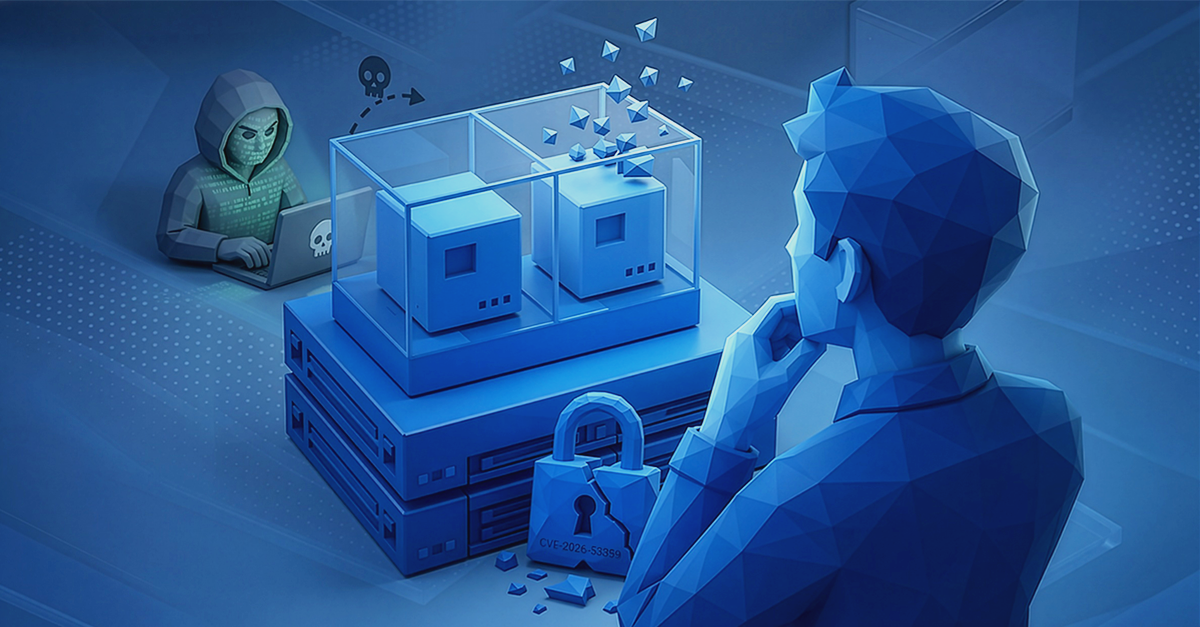
This comparison has one dominant context today, which has to be stated straight away: Dell support for the SC5020 and SC5020F models ends on 31 August 2026. If you have one of these arrays, the question is no longer “is it worth migrating” but “to what and when”. Below we break down the architectural differences between the two platforms, show the actual support dates for each SC model and explain what moving the data looks like – including a protocol nuance that can catch you out mid-deployment.
How long is Dell supporting Compellent SC arrays?
Let's start with the dates, because they most often settle the decision. The SC Series is retiring model by model, not as a whole – and the differences between them run to several years.
End-of-support dates for the individual SC Series models. As at August 2026; the dates are worth confirming in Dell's official matrix before a purchase decision.
Three practical conclusions. First, the SC8000 and SC4020 have been out of support for several years – if they are still running in production at your site, they are running on third-party service or at your own risk. Second, the SC5020 and SC5020F are the most pressing case, because their cut-off date falls at the end of August 2026. Third, the SCv3000 and SCv3020 have support until 31 August 2028 – that gives you another two years of calm and allows migration to be planned without a rush.
It is worth understanding here the mechanism that costs the most money. Buying an expansion for a platform close to the end of support means that you have less and less time to amortise it, so the effective cost of the same hardware rises with every month of delay. An expansion bought two years before support expires is in practice twice as expensive as the same expansion bought four years before. That is an argument not for panic but for counting the dates before signing the order. Available models in off-lease versions can be found in our range of Dell Compellent storage arrays, including the still-supported SCv3000 and SCv3020.
Compellent SC – what this platform does well
It would be dishonest to present SC as obsolete junk, because that is not true. For years Compellent was regarded as the most advanced hybrid array on the market, and some of its mechanisms still have no direct equivalents.
The key one is Data Progression – automatic movement of data between tiers of media based on how often it is used. Hot data lands on fast flash, cold data drops down to cheaper spinning disks. Thanks to this the array works in a configuration ranging from 0% to 100% flash, and the fastest tier usually takes up only 10–30% of capacity, because that is enough for the active dataset.
|
A hybrid array – what that means in practiceA hybrid array combines drives with different characteristics in a single pool and decides for itself where to keep particular blocks. You pay for capacity as if for spinning disks, and you get performance close to flash – provided the active dataset fits into the fast tier. It is a solution from the days when flash was expensive. Today, with falling media prices, its economic advantage is shrinking, but with large, mostly cold volumes it still makes sense. |
SC also has enterprise-class mechanisms that should not be passed over: distributed spare, which rebuilds the array after a drive failure many times faster than a classic hot spare, because it recreates data in parallel across many drives, and Live Migrate – a tool for moving volumes between SC arrays with no downtime. Connectivity can be a limitation: 32 Gb Fibre Channel is supported only by the SC5020, SC7020 and SC9000, so when choosing an off-lease model you have to check whether it fits your existing SAN.
PowerStore – how does it differ architecturally from SC?
PowerStore is not the next generation of Compellent but a different philosophy of building an array. Three differences weigh the most.
- Native NVMe instead of hybrid tiers. PowerStore is an all-flash platform designed around NVMe from the ground up, with support for NVMe over Fabrics – both over Fibre Channel and over an ordinary Ethernet network. Instead of shifting data between tiers, it keeps everything on fast media and optimises the access path.
- Active-active architecture. Both controllers handle traffic simultaneously, so no hardware stands idle as a spare. In setups where one controller merely waits for the other to fail, half of the capacity you bought is not working most of the time.
- One platform for block, files and virtual machines. PowerStore supports block (iSCSI, FC, NVMe), file (SMB, NFS) and container access all at once, and on selected models allows applications to be run directly on the array. SC was a purely block system.
In May 2026 Dell announced the PowerStore Elite generation (models 1500, 5500 and 9500), which moves these parameters markedly upwards:
The manufacturer's claims for PowerStore Elite relative to the previous generation. Data: Dell Technologies, May 2026 – the figures come from the manufacturer's internal analyses.
The numbers should be treated with reserve, because these are manufacturer's data from internal testing, but the direction is unambiguous: up to 5.8 PB of effective capacity in a 3U enclosure, tripled performance and the data reduction guarantee raised from 5:1 to 6:1. There is also a new Cyber Detect function – ransomware detection through byte-level data analysis, with a claimed effectiveness of 99.99%, available from the third quarter of 2026. Importantly for current PowerStore users: the new generation supports mixed clustering with older models, with no downtime and no data migration. Ready-made systems of the previous generation, such as the PowerStore 500T or PowerStore 5200T, remain a perfectly sensible choice – especially on price.
Compellent SC and PowerStore – the most important differences
|
Feature |
Compellent SC |
PowerStore |
|
Media type |
hybrid (0–100% flash) |
all-flash, native NVMe |
|
Supported protocols |
block: iSCSI, FC, FCoE |
block, files, VMs, containers |
|
NVMe over Fabrics |
none |
NVMe/FC and NVMe/TCP |
|
Cost optimisation |
data tiering (Data Progression) |
data reduction with a 5:1 or 6:1 guarantee |
|
Expansion |
disk shelves |
appliance clustering |
|
Support status |
depends on the model, some expired |
platform under development, new generation 2026 |
|
Best for |
stable volumes, budget |
virtualisation, databases, consolidation |
What does migration from SC to PowerStore look like?
Dell designed PowerStore with customers moving off older platforms in mind and built import tools directly into the array's software. Two paths are available and they differ not only in downtime but also in network requirements – a nuance that can upend a deployment schedule.
|
Non-disruptive import |
Agentless import |
|
|
Downtime |
none for applications |
one-off, short |
|
Software on the host |
plug-in required |
not needed |
|
SC ↔ PowerStore connectivity |
iSCSI only |
iSCSI or Fibre Channel |
|
Dependence on the host system |
yes, a list of supported combinations |
independent of the system and of multipathing |
That row about connectivity is the most important. For non-disruptive import from SC arrays, Dell permits only an iSCSI connection between the source array and the PowerStore cluster – if your environment runs exclusively on Fibre Channel, that path is out and you are left with agentless import and a one-off outage. The downtime then covers only the reconfiguration of applications, file systems and datastores onto the new volumes, but it has to be planned and communicated.
A sensible migration plan therefore looks like this: first check the support date for your model, then establish whether you have iSCSI in the environment, and finally choose the target array for the real workload, not for the parameters of the current one. While you are migrating, it is worth verifying whether you still need the same capacity – guaranteed data reduction means that an array with lower raw capacity is often enough. If you would like to work that out on specific figures, just send us your current utilisation and workload profile.
Which platform should you choose for your environment?
The decision falls differently depending on where you are.
- You have an SC5020 or an older model. Plan a migration, not an expansion – support ends in August 2026 or has already expired.
- You have an SCv3000 or SCv3020. Until 2028 you are running on a supported platform, so you have time to prepare a budget and a pilot at your own pace.
- You are building a new environment for virtualisation or databases. PowerStore is the default direction – native NVMe and an active-active architecture answer those workloads directly.
- You need cheap capacity for cold data. An off-lease SC array still holds up, provided the model has support and you treat it as a solution for a few years, not for a decade.
Whichever you choose, one thing does not change between platforms: an array with redundancy is not a backup. It protects against drive failure and maintains continuity of work, but it will not undo deletion or encryption of data – which is why functions such as ransomware detection are a supplement to backup, not a replacement for it. We expand on this in the articles on whether RAID makes sense and on data archiving.
We carry both platforms in parallel – from PowerStore arrays to proven models such as the SC7020 and SC9000. If you care only about flash, the starting point is the all-flash arrays category, and when planning the whole storage layer – our Knowledge Base. Describe to us what runs on the array and how much data you handle, and we will select a configuration together with the RAID level and the media.
FAQ
How long is Dell supporting Compellent SC arrays?
The dates depend on the model. The SC5020 and SC5020F lose support on 31 August 2026, the SCv3000 and SCv3020 are supported until 31 August 2028, and the SC4020 and SC8000 went out of support in 2023 and 2022 respectively. The dates are worth confirming in Dell's official matrix.
How does PowerStore differ from Compellent SC?
PowerStore is an all-flash platform built around native NVMe, with an active-active architecture and support for block, file and virtual machine access on a single system. SC is a hybrid, purely block array based on tiering data between fast and high-capacity media.
Does migration from SC to PowerStore require downtime?
It depends on the method. Non-disruptive import requires no application downtime, but with SC arrays it permits only an iSCSI connection between the source array and PowerStore. Agentless import also works over Fibre Channel, but requires a one-off, short outage to reconfigure applications and datastores.
Is it still worth buying a Compellent SC array?
It makes sense with stable data volumes and a limited budget, provided you choose a model with current support, that is an SCv3000 or SCv3020. For new virtualisation and database environments it is more sensible to go straight to PowerStore.
What does the PowerStore Elite generation bring?
According to the manufacturer's claims from May 2026 – tripled performance and density, up to 5.8 PB of effective capacity in a 3U enclosure, a data reduction guarantee raised from 5:1 to 6:1, and ransomware detection. The new models cluster with older ones without downtime or data migration.
Does an array with redundancy replace a backup?
No. Redundancy protects against drive failure and maintains continuity of work, but it will not undo a deleted file or encryption by ransomware. Backup remains a separate, indispensable layer of data protection.
Bibliography
- Dell – SC Series: Software Release, Support Policy and End-of-Life Matrix – https://downloads.dell.com/manuals/common/sc-series-software-release-support-policy-and-eol-matrix-4866-sc-wp_en-us.pdf
- EOSL.date – Dell EMC StorageCenter (Compellent): EOL and EOS for individual models – https://eosl.date/storage/san-storage/vendor/dell-emc/storagecenter-compellent/
- Rick Gouin (former Compellent employee) – Dell SC End of Life – https://www.rickgouin.com/dell-sc-end-of-life/
- Dell – Importing External Storage to PowerStore Guide – https://dl.dell.com/topicspdf/pwrstr-import_en-us.pdf
- Dell – Non-disruptive import of external storage to PowerStore (connection requirements) – https://www.dell.com/support/manuals/en-us/powerstore-3000/pwrstr-import/configure-a-non-disruptive-import
- Dell – Agentless import of external storage to PowerStore (connection requirements) – https://www.dell.com/support/manuals/en-us/powerstore-500t/pwrstr-import/general-requirements-for-importing-data
- Dell Technologies – Introducing PowerStore Elite (May 2026) – https://www.dell.com/en-us/blog/introducing-powerstore-elite-built-to-lead-in-an-unpredictable-world/
- Dell Technologies Newsroom – Dell Technologies Reimagines the Modern Data Center for the AI Era (19 May 2026) – https://www.dell.com/en-us/dt/corporate/newsroom/announcements/detailpage.press-releases~usa~2026~05~dell-technologies-reimagines-the-modern-data-center-for-the-ai-era.htm
- Techzine – Dell PowerStore Elite delivers 3x the performance and 6:1 data reduction – https://www.techzine.eu/news/infrastructure/141468/dell-powerstore-elite-delivers-3x-the-performance-and-61-data-reduction/
- Dell EMC – SC Series: Performance and Availability Best Practices – https://dl.dell.com/manuals/common/sc-series-performance-availability-best-practices-dell-emc-4024-bp-sc_en-us.pdf
- Dell EMC – SC Series: Synchronous Replication and Live Volume – https://dl.dell.com/manuals/common/dell-emc-sc-series-sync-replication-live-volume.pdf