 / EUR
/ EUR
Server-Konfiguratoren


- Server Dell PowerEdge R7715 16x2.5" mit 1x EPYC 9845, 32GB RAM, H975i, 2x 480GB SSD SATA 2.5", 8x 3.2TB SSD SAS 12G MU 2.5", 2x25GbE SFP28 OCP 3.0, 2x PSU 2400W, Montageschienen, iDRAC 10 CoreIm Satz sind enthalten: 1x Dell PowerEdge R7715 16x2.5" Server-Plattform 1x CPU AMD EPYC 9845 160-core 2.1GHz 320MB 390W 2x 16GB DDR5 RDIMM 5600MHz RAM-Speiche...Lieferzeit wird berechnet...Auf Lager 4Garantie 36 Monate31.454,85 € 25.573,05 €
- Server Dell PowerEdge R7715 16x2.5" mit 1x EPYC 9845, 64GB RAM, H975i, 2x 480GB SSD SATA 2.5", 8x 3.2TB SSD SAS 12G MU 2.5", 2x25GbE SFP28 OCP 3.0, 2x PSU 2400W, Montageschienen, iDRAC 10 CoreIm Satz sind enthalten: 1x Dell PowerEdge R7715 16x2.5" Server-Plattform 1x CPU AMD EPYC 9845 160-core 2.1GHz 320MB 390W 4x 16GB DDR5 RDIMM 5600MHz RAM-Speiche...Lieferzeit wird berechnet...Auf Lager 4Garantie 36 Monate33.478,47 € 27.218,27 €
- Server Dell PowerEdge R7715 16x2.5" mit 1x EPYC 9845, 128GB RAM, H975i, 2x 480GB SSD SATA 2.5", 8x 3.2TB SSD SAS 12G MU 2.5", 2x25GbE SFP28 OCP 3.0, 2x PSU 2400W, Montageschienen, iDRAC 10 CoreIm Satz sind enthalten: 1x Dell PowerEdge R7715 16x2.5" Server-Plattform 1x CPU AMD EPYC 9845 160-core 2.1GHz 320MB 390W 4x 32GB DDR5 RDIMM 5600MHz RAM-Speiche...Lieferzeit wird berechnet...Auf Lager 4Garantie 36 Monate38.409,59 € 31.227,31 €
- Server Dell PowerEdge R7715 16x2.5" mit 1x EPYC 9845, 256GB RAM, H975i, 2x 480GB SSD SATA 2.5", 8x 3.2TB SSD SAS 12G MU 2.5", 2x25GbE SFP28 OCP 3.0, 2x PSU 2400W, Montageschienen, iDRAC 10 CoreIm Satz sind enthalten: 1x Dell PowerEdge R7715 16x2.5" Server-Plattform 1x CPU AMD EPYC 9845 160-core 2.1GHz 320MB 390W 8x 32GB DDR5 RDIMM 5600MHz RAM-Speiche...Lieferzeit wird berechnet...Auf Lager 4Garantie 36 Monate47.387,95 € 38.526,79 €
- Server Dell PowerEdge R7715 16x2.5" mit 1x EPYC 9845, 512GB RAM, H975i, 2x 480GB SSD SATA 2.5", 8x 3.2TB SSD SAS 12G MU 2.5", 2x25GbE SFP28 OCP 3.0, 2x PSU 2400W, Montageschienen, iDRAC 10 CoreIm Satz sind enthalten: 1x Dell PowerEdge R7715 16x2.5" Server-Plattform 1x CPU AMD EPYC 9845 160-core 2.1GHz 320MB 390W 8x 64GB DDR5 RDIMM 5600MHz RAM-Speiche...Lieferzeit wird berechnet...Auf Lager 4Garantie 36 Monate58.459,71 € 47.528,22 €
- Server Dell PowerEdge R7715 16x2.5" mit 1x EPYC 9845, 512GB RAM, H975i, 2x 480GB SSD SATA 2.5", 2x25GbE SFP28 OCP 3.0, 2x PSU 2400W, Montageschienen, iDRAC 10 CoreIm Satz sind enthalten: 1x Dell PowerEdge R7715 16x2.5" Server-Plattform 1x CPU AMD EPYC 9845 160-core 2.1GHz 320MB 390W 8x 64GB DDR5 RDIMM 5600MHz RAM-Speiche...Lieferzeit wird berechnet...Auf Lager 4Garantie 36 Monate49.341,79 € 40.115,28 €
- Server Dell PowerEdge R7715 16x2.5" mit 1x EPYC 9845, 128GB RAM, H975i, 2x 480GB SSD SATA 2.5", 2x25GbE SFP28 OCP 3.0, 2x PSU 2400W, Montageschienen, iDRAC 10 CoreIm Satz sind enthalten: 1x Dell PowerEdge R7715 16x2.5" Server-Plattform 1x CPU AMD EPYC 9845 160-core 2.1GHz 320MB 390W 4x 32GB DDR5 RDIMM 5600MHz RAM-Speiche...Lieferzeit wird berechnet...Auf Lager 4Garantie 36 Monate29.291,68 € 23.814,37 €
- Server Dell PowerEdge R7715 16x2.5" mit 1x EPYC 9845, 64GB RAM, H975i, 2x 480GB SSD SATA 2.5", 2x25GbE SFP28 OCP 3.0, 2x PSU 2400W, Montageschienen, iDRAC 10 CoreIm Satz sind enthalten: 1x Dell PowerEdge R7715 16x2.5" Server-Plattform 1x CPU AMD EPYC 9845 160-core 2.1GHz 320MB 390W 4x 16GB DDR5 RDIMM 5600MHz RAM-Speiche...Lieferzeit wird berechnet...Auf Lager 4Garantie 36 Monate24.360,56 € 19.805,33 €
- Server Dell PowerEdge R7715 16x2.5" mit 1x EPYC 9845, 32GB RAM, H975i, 2x 480GB SSD SATA 2.5", 2x25GbE SFP28 OCP 3.0, 2x PSU 2400W, Montageschienen, iDRAC 10 CoreIm Satz sind enthalten: 1x Dell PowerEdge R7715 16x2.5" Server-Plattform 1x CPU AMD EPYC 9845 160-core 2.1GHz 320MB 390W 2x 16GB DDR5 RDIMM 5600MHz RAM-Speiche...Lieferzeit wird berechnet...Auf Lager 4Garantie 36 Monate22.336,94 € 18.160,11 €
- Server Dell PowerEdge R7715 16x2.5" mit 1x EPYC 9845, 256GB RAM, H975i, 2x 480GB SSD SATA 2.5", 2x25GbE SFP28 OCP 3.0, 2x PSU 2400W, Montageschienen, iDRAC 10 CoreIm Satz sind enthalten: 1x Dell PowerEdge R7715 16x2.5" Server-Plattform 1x CPU AMD EPYC 9845 160-core 2.1GHz 320MB 390W 8x 32GB DDR5 RDIMM 5600MHz RAM-Speiche...Lieferzeit wird berechnet...Auf Lager 4Garantie 36 Monate38.270,04 € 31.113,85 €
- Server Dell PowerEdge R7715 16x2.5"mit 1x EPYC 9175F, 32GB RAM, H965i, 2x 960GB SSD SATA 2.5", 8x 3.2TB SSD SAS 12G MU 2.5", 2x PSU 2400W, Montageschienen, iDRAC 10 CoreIm Satz sind enthalten: 1x Dell PowerEdge R7715 16x2.5" Server-Plattform 1x CPU Dell AMD EPYC 9175F 16-core 4.2GHz 512MB 320W 2x 16GB DDR5 RDIMM 5600MHz RAM-Sp...Lieferzeit wird berechnet...Auf Lager 4Garantie 36 Monate25.498,23 € 20.730,27 €
- Server Dell PowerEdge R7715 16x2.5"mit 1x EPYC 9175F, 512GB RAM, H965i, 2x 960GB SSD SATA 2.5", 8x 3.2TB SSD SAS 12G MU 2.5", 2x PSU 2400W, Montageschienen, iDRAC 10 CoreIm Satz sind enthalten: 1x Dell PowerEdge R7715 16x2.5" Server-Plattform 1x CPU Dell AMD EPYC 9175F 16-core 4.2GHz 512MB 320W 8x 64GB DDR5 RDIMM 5600MHz RAM-Sp...Lieferzeit wird berechnet...Auf Lager 4Garantie 36 Monate52.503,09 € 42.685,44 €
- Server Dell PowerEdge R7715 16x2.5"mit 1x EPYC 9175F, 128GB RAM, H965i, 2x 960GB SSD SATA 2.5", 8x 3.2TB SSD SAS 12G MU 2.5", 2x PSU 2400W, Montageschienen, iDRAC 10 CoreIm Satz sind enthalten: 1x Dell PowerEdge R7715 16x2.5" Server-Plattform 1x CPU Dell AMD EPYC 9175F 16-core 4.2GHz 512MB 320W 4x 32GB DDR5 RDIMM 5600MHz RAM-Sp...Lieferzeit wird berechnet...Auf Lager 4Garantie 36 Monate32.452,97 € 26.384,53 €
- Server Dell PowerEdge R7715 16x2.5"mit 1x EPYC 9175F, 256GB RAM, H965i, 2x 960GB SSD SATA 2.5", 8x 3.2TB SSD SAS 12G MU 2.5", 2x PSU 2400W, Montageschienen, iDRAC 10 CoreIm Satz sind enthalten: 1x Dell PowerEdge R7715 16x2.5" Server-Plattform 1x CPU Dell AMD EPYC 9175F 16-core 4.2GHz 512MB 320W 8x 32GB DDR5 RDIMM 5600MHz RAM-Sp...Lieferzeit wird berechnet...Auf Lager 4Garantie 36 Monate41.431,33 € 33.684,01 €
- Server Dell PowerEdge R7715 16x2.5"mit 1x EPYC 9175F, 64GB RAM, H965i, 2x 960GB SSD SATA 2.5", 8x 3.2TB SSD SAS 12G MU 2.5", 2x PSU 2400W, Montageschienen, iDRAC 10 CoreIm Satz sind enthalten: 1x Dell PowerEdge R7715 16x2.5" Server-Plattform 1x CPU Dell AMD EPYC 9175F 16-core 4.2GHz 512MB 320W 4x 16GB DDR5 RDIMM 5600MHz RAM-Sp...Lieferzeit wird berechnet...Auf Lager 4Garantie 36 Monate27.521,85 € 22.375,49 €
- Server Dell PowerEdge R7715 16x2.5"mit 1x EPYC 9175F, 512GB RAM, H965i, 2x 960GB SSD SATA 2.5", 2x PSU 2400W, Montageschienen, iDRAC 10 CoreIm Satz sind enthalten: 1x Dell PowerEdge R7715 16x2.5" Server-Plattform 1x CPU Dell AMD EPYC 9175F 16-core 4.2GHz 512MB 320W 8x 64GB DDR5 RDIMM 5600MHz RAM-Sp...Lieferzeit wird berechnet...Auf Lager 4Garantie 36 Monate43.385,18 € 35.272,50 €
- Server Dell PowerEdge R7715 16x2.5"mit 1x EPYC 9175F, 256GB RAM, H965i, 2x 960GB SSD SATA 2.5", 2x PSU 2400W, Montageschienen, iDRAC 10 CoreIm Satz sind enthalten: 1x Dell PowerEdge R7715 16x2.5" Server-Plattform 1x CPU Dell AMD EPYC 9175F 16-core 4.2GHz 512MB 320W 8x 32GB DDR5 RDIMM 5600MHz RAM-Sp...Lieferzeit wird berechnet...Auf Lager 4Garantie 36 Monate32.313,42 € 26.271,07 €
- Server Dell PowerEdge R7715 16x2.5"mit 1x EPYC 9175F, 128GB RAM, H965i, 2x 960GB SSD SATA 2.5", 2x PSU 2400W, Montageschienen, iDRAC 10 CoreIm Satz sind enthalten: 1x Dell PowerEdge R7715 16x2.5" Server-Plattform 1x CPU Dell AMD EPYC 9175F 16-core 4.2GHz 512MB 320W 4x 32GB DDR5 RDIMM 5600MHz RAM-Sp...Lieferzeit wird berechnet...Auf Lager 4Garantie 36 Monate23.335,06 € 18.971,59 €
- Server Dell PowerEdge R7715 16x2.5"mit 1x EPYC 9175F, 64GB RAM, H965i, 2x 960GB SSD SATA 2.5", 2x PSU 2400W, Montageschienen, iDRAC 10 CoreIm Satz sind enthalten: 1x Dell PowerEdge R7715 16x2.5" Server-Plattform 1x CPU Dell AMD EPYC 9175F 16-core 4.2GHz 512MB 320W 4x 16GB DDR5 RDIMM 5600MHz RAM-Sp...Lieferzeit wird berechnet...Auf Lager 4Garantie 36 Monate18.403,94 € 14.962,55 €
- Server Dell PowerEdge R7715 16x2.5"mit 1x EPYC 9175F, 32GB RAM, H965i, 2x 960GB SSD SATA 2.5", 2x PSU 800W, Montageschienen, iDRAC 10 CoreIm Satz sind enthalten: 1x Dell PowerEdge R7715 16x2.5" Server-Plattform 1x CPU Dell AMD EPYC 9175F 16-core 4.2GHz 512MB 320W 2x 16GB DDR5 RDIMM 5600MHz RAM-Sp...Lieferzeit wird berechnet...Auf Lager 4Garantie 36 Monate16.380,32 € 13.317,33 €
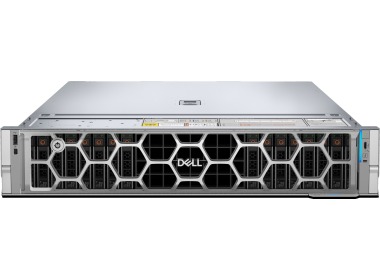
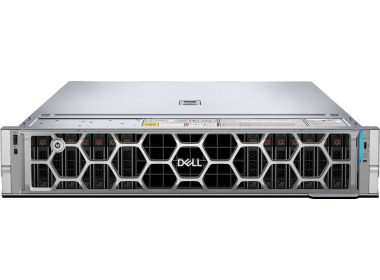
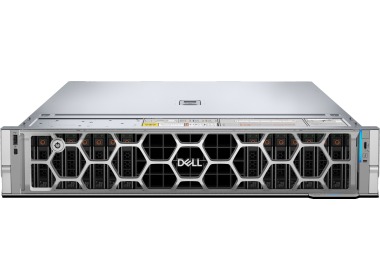
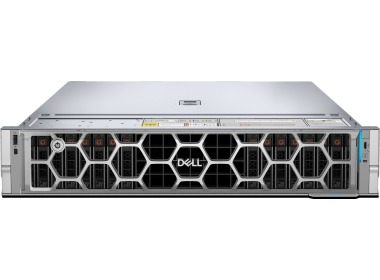
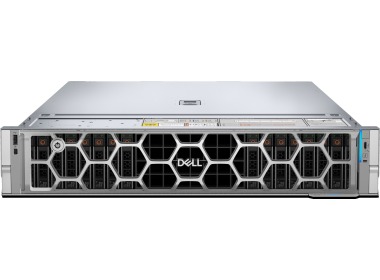
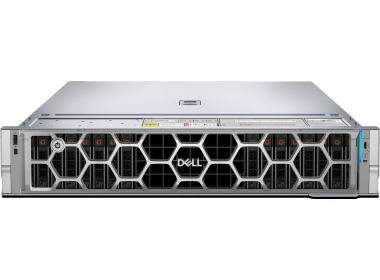
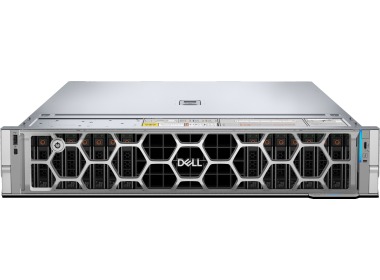
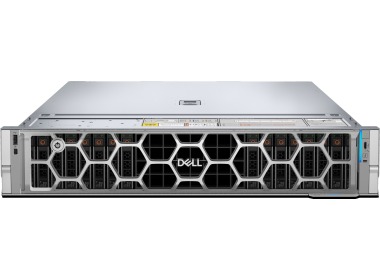
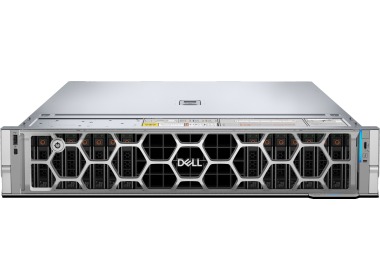
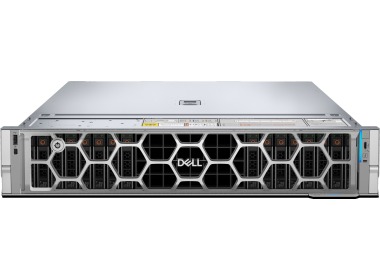
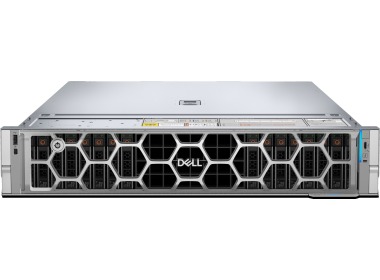
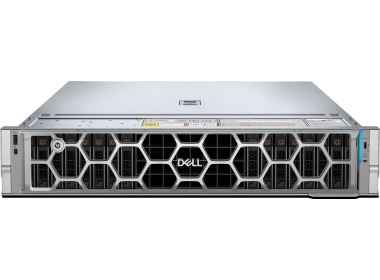
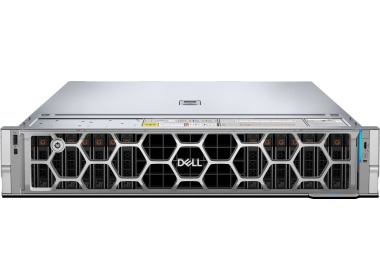
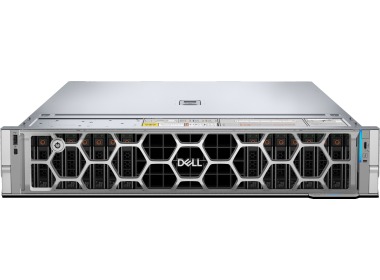
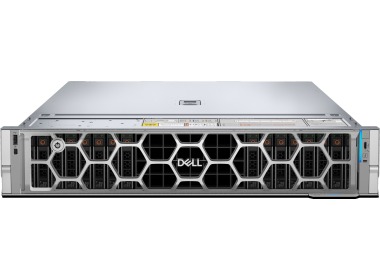
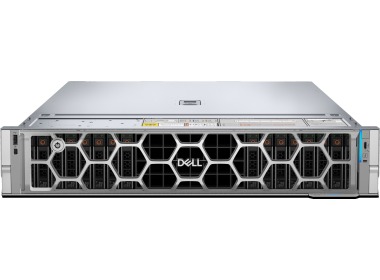
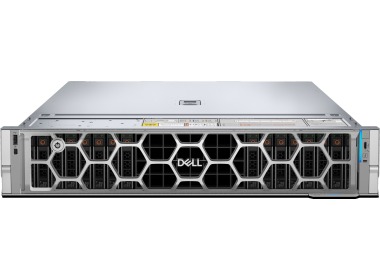
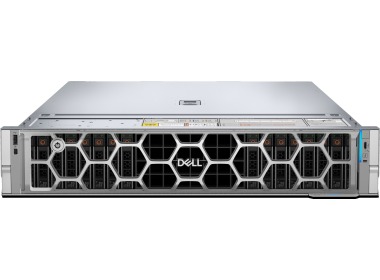
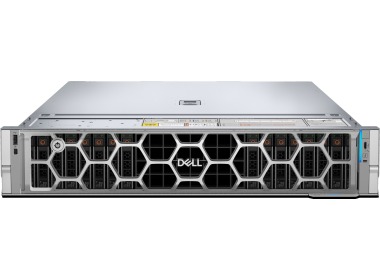
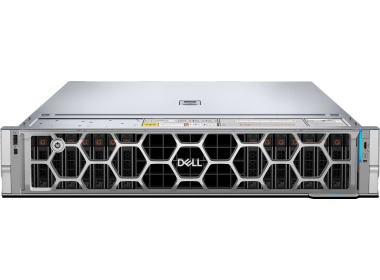
Dell PowerEdge R7715 is a single-processor 2U rack server with an AMD EPYC 9005 processor (up to 160 cores), 24 DDR5 slots (up to 6 TB RAM), and up to 8 PCIe Gen5 x16 slots. You choose it when you need the power of a large server but do not want to pay for a second socket. Within the Dell 17th generation rack server lineup, it is a platform that accommodates virtualization, SQL databases, storage, and GPU cards.
Dell PowerEdge R7715 – what kind of server is it and who was it built for?
The name reads sequentially. R stands for rack, the first 7 denotes the 2U class with extensive expansion capabilities, the second 7 indicates the 17th generation Dell PowerEdge, 1 means a single processor socket, and 5 represents the AMD platform. Two processors in the same chassis are available in the Dell PowerEdge R7725.
Dell describes the R7715 as a machine for general enterprise workloads: data warehousing, e-commerce, databases, HPC computing, and software-defined storage (more in the Dell product page and the StorageReview review). A single processor means fewer compromises when distributing virtual machines and a simpler licensing calculation than with two sockets.
We most commonly see it at companies that have outgrown a single tower server or two older machines from the Dell 14th generation and want to consolidate their entire environment onto a single piece of hardware.
What can the Dell R7715 handle in a business environment?
It depends on which processor variant you choose, but we see four scenarios most frequently.
Virtualization. 160 cores and up to 6 TB RAM in a single socket allow you to run dozens of virtual machines without adding a second server. Both a VMware server and a Proxmox server work well here, and for Hyper-V you can add Microsoft software in the same quote.
Databases and ERP. The EPYC 9175F variant with a 4.2 GHz clock speed and 512 MB cache is the option for Microsoft SQL Server and systems such as Comarch Optima, Enova365, or SAP. Databases favor high MHz, not hundreds of slow cores.
CI/CD and containers. A high core count is fuel for builds. If the development team is waiting on pipelines, check CI/CD servers.
AI and GPU. PCIe Gen5 slots in dual-width full-length configurations accept large accelerators, so the R7715 can serve as an AI server with graphics cards for inference and smaller models.
Processor in the Dell PowerEdge R7715 – EPYC 9175F or EPYC 9845?
Dell supports a single processor from the EPYC 9005 series with up to 160 cores in the R7715, which is why the offering includes two opposite variants. The difference between them is not „faster and slower”, but two entirely different profiles.
|
Parameter |
AMD EPYC 9175F |
AMD EPYC 9845 |
|
Cores |
16 |
160 |
|
Base clock speed |
4.2 GHz |
2.1 GHz |
|
L3 cache |
512 MB |
320 MB |
|
TDP |
320 W |
390 W |
|
RAID controller in the offering |
PERC H965i |
PERC H975i |
|
Choose when |
SQL database, ERP, frequency-sensitive applications, per-core licensing |
virtualization, containers, CI/CD, SDS, many parallel workloads |
|
Business outcome |
faster response time for individual queries, lower licensing cost |
more virtual machines on a single socket, fewer servers in the rack |
Worth noting: Windows Server, SQL Server, and virtualization software are very often licensed per core. 160 cores represent enormous power, but also a potentially enormous licensing bill if the workload does not utilize those cores. That is why for databases we choose 16 fast cores, and for VM consolidation we choose 160. A broader overview is available in the AMD EPYC processors category.
How much RAM for the Dell R7715 and why do memory channels matter?
The processor in the R7715 has 12 memory channels, and the motherboard has 24 DDR5 RDIMM slots (up to 6 TB, registered ECC memory only). Capacity alone is only half the story. The other half is the number of channels you actually populate.
|
Configuration from the offering |
Modules |
Channels occupied |
What it means |
|
32 GB |
2x16 GB |
2 out of 12 |
Minimum. A large portion of throughput goes unused. |
|
64 GB |
4x16 GB |
4 out of 12 |
Entry level for small environments. |
|
128 GB |
4x32 GB |
4 out of 12 |
Capacity is adequate, throughput is limited. |
|
256 GB |
8x32 GB |
8 out of 12 |
A good price-to-performance compromise. |
|
512 GB |
8x64 GB |
8 out of 12 |
Large databases and dense virtualization. |
|
Full throughput |
12 modules |
12 out of 12 |
Up to 5200 MT/s with one module per channel. |
|
1DPC and 2DPC – two abbreviations that affect performance 1DPC means one module per channel, 2DPC means two modules per channel. According to distributor data, the R7715 platform operates with memory at up to 5200 MT/s with 1DPC and up to 4000 MT/s with 2DPC. More modules provide more capacity, but at the cost of clock speed. |
From our experience, 32 and 64 GB configurations are purchased with future expansion in mind. That is reasonable, but for databases and virtualization it is better to plan for populating all 12 channels from the start, even with smaller modules. If you want such a configuration, contact us. Details on selecting the right capacity are described in the guide how much RAM for a business server, and available modules can be found in the RDIMM RAM category. At current DDR5 prices, every unnecessary module is costly, so proper selection matters doubly.
Drives and RAID in the Dell PowerEdge R7715 – how much space will you actually get?
Configurations in the offering include 16 x 2.5-inch bays and a hardware controller from the Dell RAID controllers family. The most common setup looks like this: 2 SATA SSD drives (480 or 960 GB) in RAID 1 for the operating system and 8 SAS SSD 12G drives at 3.2 TB each for data. That totals 25.6 TB of raw capacity.
|
RAID level |
Usable capacity |
Failure tolerance |
Use case |
|
RAID 10 |
12.8 TB |
1 drive in each pair |
databases, virtual machines |
|
RAID 6 |
19.2 TB |
2 drives in the group |
archival, backup, large volumes |
|
RAID 5 |
22.4 TB |
1 drive in the group |
read-heavy data |
|
Quick calculation: eight drives at 3.2 TB RAID 10: 8 drives form 4 mirrored pairs, yielding 4 x 3.2 TB = 12.8 TB usable. RAID 6: two drives are used for parity, yielding 6 x 3.2 TB = 19.2 TB. RAID 5: one drive for parity, yielding 7 x 3.2 TB = 22.4 TB. The difference between RAID 10 and RAID 5 is nearly 10 TB, and you pay for it with rebuild time and write performance. |
For SQL and virtual machines, we typically choose RAID 10, because slow writes and a long rebuild after a drive failure can halt an entire department. Once eight drives are populated, 6 empty bays remain for additional 2.5-inch SSD drives, and if you are planning something faster, check NVMe drives. Dell also offers variants of this platform with EDSFF E3.S bays, but those are different configurations than those on our list.
Dell PowerEdge R7715 vs R7725 – which 2U rack server to choose?
Both machines sit in the same 2U chassis and offer up to 8 PCIe Gen5 slots. They differ in the number of processors, and consequently in the number of cores and memory channels.
|
Feature |
R7715 |
R7725 |
R7625 (previous generation) |
|
Processors |
1x AMD EPYC 9005 |
2x AMD EPYC 9005 |
2x AMD EPYC (16th generation) |
|
Chassis |
2U |
2U |
2U |
|
PCIe Gen5 slots |
up to 8 |
up to 8 |
older PCIe generation |
|
Choose when |
a single socket is sufficient, licensing cost matters |
you need more cores and memory channels |
you are looking for a lower budget and do not need PCIe Gen5 |
If your company standard is Intel, check the Dell PowerEdge R770. A more affordable option from the AMD family is available in the Dell PowerEdge R7625, and a full model overview is in the Dell servers category.
Expanding the Dell R7715 – PCIe Gen5, OCP 3.0, and power supply
The R7715 offers up to 8 PCIe Gen5 x16 slots and 2 OCP 3.0 slots for network adapters. Our configurations include 2 x 25GbE SFP28 ports in the OCP 3.0 socket. To use them, you need a rack switch with 25G ports, optical modules, or affordable DAC cables. Dell also supports AIC cards for this platform up to 100 GbE and 400 GbE, and options are available in the network adapters category.
Power supplies are a separate topic. Most of our configurations include 2x 2400 W in the 80+ Titanium class, because power headroom matters when using GPU cards and a full set of drives. One configuration has 2x 800 W (80+ Platinum), which is the variant for lighter workloads. Spare modules are available in the server power supplies category.
The manufacturer's minimum is not a production configuration. The R7715 will boot with a single processor and a single RAM module, but a production environment is built as follows:
- two power supplies connected to separate circuits, ideally with UPS backup power,
- memory distributed across all 12 channels,
- drives in RAID with a hardware controller and a spare drive on the shelf,
- remote management via iDRAC 10 Core, so you can check the server's status without traveling to the server room,
- rack-mounted in a rack cabinet on the included rails.
Why buy Dell PowerEdge R7715 servers from Hardware Direct?
You are purchasing hardware from a team that configures, tests, and ships from its own warehouse in Warsaw. All configurations in this category come with a 36-month warranty, and Hardware Direct is a Dell Technologies Gold Partner. Service coverage details are available on the warranties page.
Do not see your configuration? Build it yourself in the [Dell PowerEdge R7715 configurator](/configurator-dell-poweredge-r7715) or contact an engineer through the server configurator. For larger projects, we also assist with financing: check server leasing, and your old hardware can be traded in through our server buyback program.
It is worth consulting on the selection before ordering if you license your database or virtualization software per core, plan to use GPU cards, or intend to populate all 12 memory channels from the start. In those cases, the processor choice directly affects the project budget, not just performance.
FAQ
What is the Dell PowerEdge R7715 used for?
The Dell PowerEdge R7715 is used for virtualization, databases, e-commerce, software-defined storage, and GPU computing. It is a single-processor 2U rack server with AMD EPYC 9005, making it a good fit where a single socket is sufficient and licensing costs are a priority.
How many cores does the Dell PowerEdge R7715 have?
The R7715 supports up to 160 cores on a single AMD EPYC 9005 processor. Our offering includes two variants: EPYC 9175F with 16 cores and a 4.2 GHz clock speed and EPYC 9845 with 160 cores and a 2.1 GHz clock speed.
How much RAM does the Dell R7715 support?
The server has 24 DDR5 RDIMM slots and supports up to 6 TB RAM, accepting only registered ECC memory. Full throughput is achieved only when all 12 memory channels of the processor are populated.
Which processor to choose for SQL Server: EPYC 9175F or EPYC 9845?
For SQL Server and ERP systems, choose the EPYC 9175F: 16 cores at 4.2 GHz reduce query response times and limit per-core licensing costs. The EPYC 9845 makes sense for virtualization and consolidating many machines.
What RAID should I choose for the Dell PowerEdge R7715?
For databases and virtual machines, choose RAID 10; for archival and backup, RAID 6. For eight 3.2 TB drives, RAID 10 yields 12.8 TB usable, RAID 6 yields 19.2 TB, and RAID 5 yields 22.4 TB.
Dell PowerEdge R7715 or R7725 – which one to choose?
The R7715 has one processor, and the R7725 has two, in the same 2U chassis. Choose the R7725 when a single socket does not provide enough cores or memory channels, and the R7715 when you want lower licensing costs and a simpler architecture.
What does the name R7715 mean in Dell PowerEdge servers?
R stands for rack, the first 7 denotes the 2U class, the second 7 indicates the 17th generation, 1 means a single processor socket, and 5 represents the AMD platform. This naming scheme allows you to immediately read from the name how the R7715 differs from the R7725 or R770.